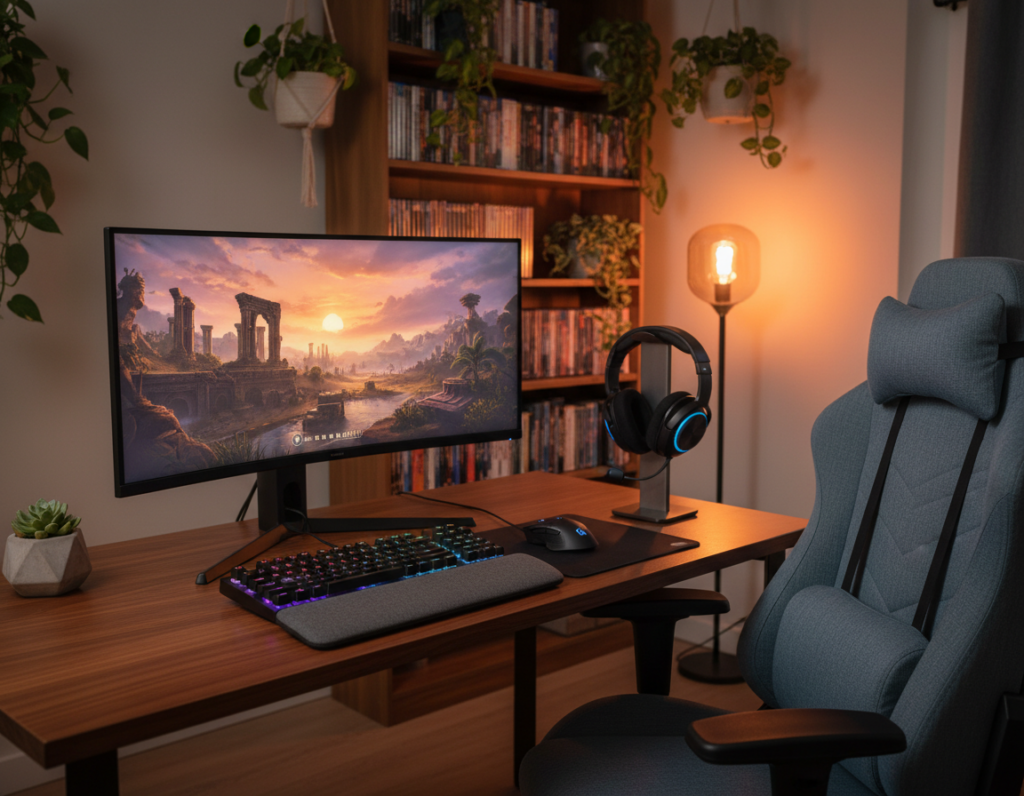
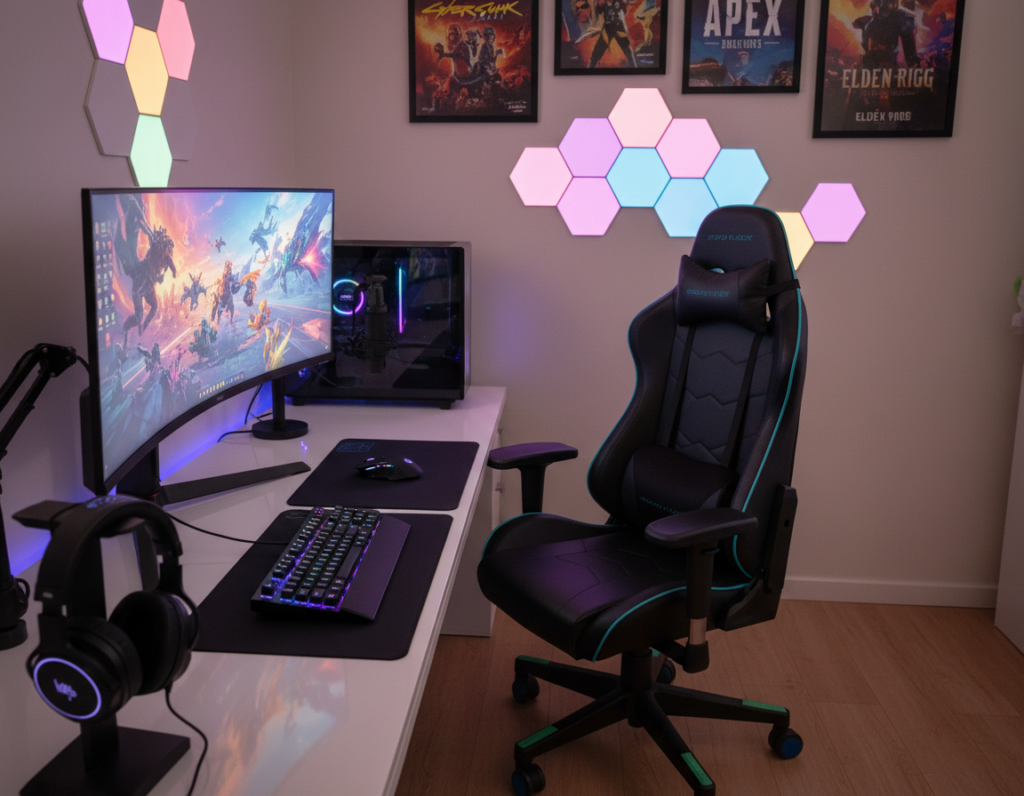
Choosing the right pad sets the tone for a tidy and responsive play area. This introduction explains why a quality mouse pad and desk pad matter for every setup. It highlights how the SteelSeries QCK Heavy delivers a consistent surface for competitive play.
The article looks at how different mats and pads protect the desk while giving the mouse a steady tracking plane. It covers variations in size so readers can match a pad to their available space and style.
Precision matters: a well-chosen mouse pad helps each movement track with accuracy and speed. The guide also considers material choices and maintenance tips to keep gear in peak condition.
Readers will learn practical steps to balance form and function, compare top-rated mouse pads, and pick the pad that best fits their setup and play style.
Why Your Gaming Setup Needs a Dedicated Surface
When the play area has a dedicated surface, mouse motion stays predictable and precise. A steady plane beneath the mouse and pad reduces sensor errors and helps players react faster in intense matches.
Benefits of Consistency
Consistent tracking matters. A professional mouse pad gives a uniform texture so the mouse sensor reads movements the same way every time. This consistency helps build muscle memory and improves aim across titles.
Stable friction prevents sudden speed changes. Dedicated pads are engineered to stay put, so quick swipes won’t shift the base and disrupt play.
Aesthetic Integration
Beyond performance, a high-quality mat unifies the look of the desk and peripherals. This polished design makes the station look more professional for work and gaming alike.
Protective benefits also matter: a well-chosen pad shields the surface from scratches and spills while creating a tidy area where the mouse and keyboard live.
Comprehensive Large Gaming Desk Mat Review
This roundup compares top desk pads to show how each option shapes mouse control and desk comfort. It highlights the SteelSeries QCK Heavy as a durable, thick cloth choice that many users trust for steady tracking.
Testing focuses on how a pad’s surface reacts to different mouse sensors and play styles. Reviewers check size and material so readers can pick a pad that fits keyboard placement and available space.
Key factors include edge durability, texture consistency, and color or design options that match a setup. Price varies, but the reviews prioritize value and long-term performance.
One clear advantage is when a pad gives plenty of room for both a mouse and keyboard without sliding. These reasons matter when choosing the right option for performance and look.
- Coverage and surface texture affect aim and speed.
- Material choices influence comfort over time.
- Design and color options let users personalize their space.
Evaluating Material Quality and Texture
Choosing the right surface material changes how a mouse moves and how a setup feels. Quality materials affect both speed and long-term comfort. This section helps readers weigh cloth and glass options to match play and work needs.
Cloth vs Glass Performance
Cloth surfaces offer balanced friction and a soft feel that suits long sessions. They help control small aim adjustments and feel comfortable for daily work and extended play.
Glass surfaces deliver an ultra-smooth plane for maximum speed and glide. Brands like the Razer Atlas use tempered glass that resists scratches and is easy to clean, though some mouse sensors need different calibration to perform best.
- Check the rubber backing to keep the pad firmly on the desk.
- Inspect edge stitching to prevent fraying and preserve appearance.
- Consider how different materials change texture, friction, and speed under pressure.
Final note: the right type of surface depends on play style, sensor type, and how often the user cleans the area.
Understanding the Importance of Size and Desk Coverage
A pad’s footprint determines whether the mouse and keyboard share a comfortable, consistent plane. Short, measured dimensions can limit movement and break flow.
Players should measure their desk before buying to make sure the pad fits and does not hang over edges. Accurate measurements prevent wasted returns and improve setup stability.
Extended options give more space for wide mouse sweeps, which helps low-sensitivity players keep aim steady. A good surface also protects the desk from scratches and spills during daily use.
- Coverage: choose a size that holds both keyboard and mouse pad in one plane.
- Movement: leave room for full mouse sweeps without hitting the edge.
- Protection: wider pads safeguard finishes from wear and liquid damage.
“Select the right size to turn a cluttered area into a stable, organized surface.”
By comparing how different pads provide coverage, readers can match options to their space and play style. This makes setup cleaner and performance more consistent.
Top Picks for Overall Performance
Top picks focus on consistent performance, balancing speed, control, and long-term durability for everyday play.
SteelSeries QCK Heavy stands out for its weight and stable non-slip rubber backing. Its cloth surface gives steady tracking and a forgiving feel that suits many mouse sensors. Players who want consistent control will find this choice hard to beat.
Corsair MM350 offers plenty of space for both mouse and keyboard. The extended size fits broader setups and leaves room for wide sweeps. It is a good option for those who need a unified plane across their work and play area.
These mats strike a solid balance of speed and control. Each choice was tested for durability, backing grip, and edge stitching to ensure long life and steady performance.
“Selecting a pad that keeps its shape and grip is one of the best ways to improve accuracy and comfort.”
- Consistent surface texture for accurate mouse movement.
- Weight and rubber backing to prevent slippage during tense moments.
- Varied sizes and price options to match different setups and budgets.
Choosing one of these top-performing pads is a practical way to upgrade a setup and improve performance. They deliver reliable tracking, solid build quality, and value for the price.
Best RGB Options for Aesthetic Setups
A bright RGB surface can turn an ordinary setup into a focal point while still serving practical needs.
Edge lighting vs backlighting matters when choosing an illuminated pad. Edge lighting outlines the perimeter and creates a bold border. Backlighting bathes the area beneath the keyboard and mouse in soft color for a subtler look.
Edge Lighting vs Backlighting
Edge-lit options like the Razer Firefly V2 Pro offer dramatic color transitions. The Firefly V2 Pro features 19 RGB lighting zones that can be synced with other gear for a unified color scheme.
Backlit mats, by contrast, use fewer zones but give a uniform glow under the surface. The HyperX Pulsefire mat includes 2 RGB zones that are easy to control and match to a keyboard or mouse.
Software Integration
Software control is key to getting the most from RGB pads. Apps let users pick color, breathing patterns, and reactive effects that match in-game events or desktop themes.
Price and performance should both factor into the decision. Look for options that keep a high-quality surface for mouse tracking while offering reliable rubber backing and durable edges over time.
“Good lighting should enhance the look without compromising the mouse surface or speed.”
- RGB options add visual flair without sacrificing tracking quality.
- Choose a pad that balances lighting zones and software support.
- Consider price, size, and how the lighting syncs with other peripherals for a cohesive setup.
Hard Surface Mats for Speed and Precision
For those chasing split-second aim, rigid pads cut start-up drag and open the door to faster mouse motion.
Hard surface options offer a near frictionless plane. That smooth surface helps the sensor read motion with fewer micro-variations. Players using high-end mouse models see the biggest gains in tracking and speed.
Two standout options are the Razer Atlas and the Skypad 3.0. The Razer Atlas uses tempered glass to deliver an incredibly smooth surface for your mouse. The Skypad 3.0 provides a durable, consistent glide that many pros prefer.
These materials resist warping and fraying, and they are easy to clean. The rigid surface removes start-up friction and helps with lightning-fast swipes across the desk.
“Hard surfaces are the ideal choice when speed and pinpoint precision matter most.”
- Speed: low friction supports rapid swipes.
- Durability: rigid materials hold shape over time.
- Compatibility: works well with high-end mouse sensors.
Hybrid Surfaces for Balanced Gameplay
A middle-ground surface can deliver both precision for aim and the glide needed for quick swipes. Hybrid pads combine textured zones with a smooth base to give a balanced feel that suits many play styles.
The Razer Strider Chroma exemplifies this approach. It sits faster than cloth but offers more control than glass, so the mouse tracks predictably across the pad and under the keyboard.
Hybrid options help players who switch between slow, precise aim and rapid flicks. They reduce the need to choose a single type of surface for every game or grip.
- Balanced texture provides consistent mouse movement for different play styles.
- Durable construction keeps the pad stable and resists wear from heavy use.
- Price reflects advanced material design, offering long-term value.
Recommendation: choose a hybrid surface if you want a versatile way to support both speed and control. These pads are a practical addition to any desk setup and work well for players who are unsure which type fits them best.
Budget Friendly Choices for Every Gamer
Smart, low-cost choices let players equip a clean surface that supports both mouse and keyboard needs. Many affordable options deliver steady tracking and good durability without a high price.
Cooler Master MP750 stands out as a budget RGB pick. It uses a spill-resistant cloth surface that is easy to clean and holds color well. For users who want lights and value, it is a solid choice.
The best budget pads focus on material quality, rubber backing, and stitched edges. These features keep the pad flat and prevent fraying over time. Testing confirms they give a consistent surface for most mouse sensors.
“You don’t need to spend a fortune to get a dependable surface for play and work.”
- Plenty of sizes and designs to fit different desk space and style.
- Durable cloth or hybrid material that balances speed and control.
- Easy clean finishes and solid backing for everyday use.
Bottom line: budget mouse pads can offer great value, steady performance, and a pleasing look while keeping price low.
Essential Accessories for Wrist Comfort
Small accessories can make a big difference in comfort during extended mouse use.
Wrist rests reduce strain and help keep hands neutral. The HyperX Wrist Rest uses memory foam and cooling gel to offer noticeable relief during long sessions.
Used alongside a mouse pad, a wrist rest improves ergonomics and reduces fatigue. It creates a consistent surface height that pairs well with most standard keyboard setups.
The team considered price and build quality when recommending wrist supports. Durability matters; a well-made rest will support wrists for years and hold shape under daily use.
- Prevents strain and reduces hand fatigue.
- Memory foam plus cooling gel gives soft, lasting support.
- Works with most keyboards and complements your pad surface.
- Good value balances comfort and price for heavy users.
“Proper wrist support is a key component of a professional environment.”
Factors Influencing Durability and Maintenance
How a pad ages hinges on construction, cleaning, and the base materials that keep it rooted in place. These factors affect performance, comfort, and the long-term value users get from their purchase.
Cleaning Techniques
Cleaning varies by material. Cloth surfaces respond well to a gentle wipe with a damp cloth and mild soap. Rinse and air dry to keep texture and color intact.
Hard materials such as glass can be wiped with glass cleaner for a streak-free look. Avoid harsh solvents that may damage surface coatings or reduce tracking quality.
Edge Stitching Quality
Well-stitched edges prevent fraying and layer separation over time. Quality stitching is a clear indicator of a pad built to last.
Inspect edges for tight, even stitches and reinforced seams. This small detail often separates cheap options from reliable pads in regular use.
Base Material Grip
A stable backing keeps the surface from slipping during fast mouse movement. Rubber or textured backing offers the best grip on most tables.
- Weight and thickness: influence how flat the pad lays and how it resists curling.
- Backing quality: rubber backing prevents unwanted movement.
- Maintenance: regular cleaning and avoiding harsh chemicals extend life and preserve look and texture.
“Durability is a mix of materials, construction, and simple upkeep.”
Tips for Ensuring a Flat and Stable Surface
Flatness and grip are the quiet upgrades that make the mouse behave predictably every session.
Unpack and settle: when a mat arrives, lay it flat and place a heavy object on it for a few hours to help it relax into shape. This cuts down on curls that can interrupt motion.
Measure first: check your size desk and available space before placement so the pad fits the setup and keeps the keyboard and mouse on one plane.
Choose pads with a high-quality rubber base to stop slipping. Rubber backing holds under rapid swipes and keeps surfaces stable during tense moments.
Inspect the edges for curling or loose stitching. Curled edges interfere with tracking and can change speed at the border.
If the pad is cloth, a light steam will help it lie flat, but be careful not to overheat the surface or damage coatings.
“A flat surface not only improves performance but also gives a clean, professional look that lasts over time.”
For more tips on choosing the right base and care, see the standing desk mat guide.
How We Conducted Our Testing
We ran hands-on trials to see how different materials and designs behave over time in a typical setup.
The team used each item in a real gaming and work environment to check speed, precision, and comfort during long sessions. They alternated mice to test sensor interaction on cloth and glass surfaces.
Material and edge checks focused on stitching, backing grip, and how the surface holds its shape after daily use. Tests logged changes in feel and any fraying or curling over time.
Price and value were weighed against performance and build quality. The goal was to show which choice gives the best balance of cost, durability, and feel for different space and play styles.
- Real-world setup testing for comfort and speed.
- Multiple mice to evaluate sensor behavior across materials.
- Longer-term checks for durability, edges, and quality.
“Our testing aims to turn hands-on experience into clear reasons to choose the right surface.”
Conclusion
Choose wisely, the final pick should match how a player values control, comfort, and upkeep.
Choosing the right surface is a personal decision that affects speed and everyday experience. They should test feel where possible and weigh long-term wear.
Investing in durable mats helps protect furniture while giving a consistent plane for accurate motion. Consider price, cleaning needs, and material when deciding.
In short: whether someone prefers cloth or glass, there is a suitable option that improves control and comfort for years to come.