John Beaver noted in March 2026 that many setups treat lighting as an afterthought. This often causes harsh glare, messy cables, and a cramped feel after dark.
When designers plan around the desk, monitors, and walls, they prevent constant screen adjustments and cut down on eye strain. Proper placement of bias lighting and LED strips creates depth and calm.
Good cable management and the right lights improve layout and ambiance. They also boost focus and long-term performance during long sessions.
Readers should view lighting as a core part of their home setup. Small changes in strip placement, brightness, and control can transform a cramped area into an intentional, professional space. For tailored advice, experts are often reachable by email to discuss specific setups.
Understanding Small Gaming Room Lighting Mistakes
Many setups pick fixtures for their look, not for how they work with monitors and desks. John Beaver notes this common error often causes harsh glare and distracting colors that shrink a space after dark.
Choosing lights without considering desk placement or monitor reflections changes the way a room feels. Bright, poorly directed LEDs create hotspots that draw the eye and reduce perceived depth.
Messy cables and bad layout add visual clutter. When accessories and cables are left unorganized, the environment feels chaotic and cramped.
- Pick fixtures that work with your desk and monitor angles.
- Plan the order of your setup before placing furniture.
- Balance brightness to protect performance during long sessions.
“Lighting chosen for appearance alone often harms the overall experience,” said John Beaver.
Addressing these points on this page helps avoid a crowded, uncomfortable gaming room setup. Proper layout, cable management, and thoughtful use of LED strips restore depth and improve play sessions.
Planning Your Layout for Better Light Flow
A clear layout lets light move around a desk instead of getting trapped in corners. This boosts perceived depth and reduces the need to crank brightness at night.
Screen Placement
Place the screen so reflections are minimal and the view aligns with your primary line of sight. Monitors that sit too close push users to raise brightness, which strains eyes and flattens the space.
- Keep screens at arm’s length and slightly below eye level.
- Use a flexible monitor mount to fine-tune position as needs change.
- Angle displays to avoid glare from windows or overhead lights.
Desk Orientation
Decide on desk order before moving heavy furniture. Orient the desk to balance natural and artificial light so the area feels open.
“Clearing the primary work surface significantly improves comfort and visual focus in compact work environments.”
Good cable routing—run cables vertically behind the desk—and careful placement of led strips and task lights can visually double usable space and keep the setup tidy.
The Role of Bias Lighting in Visual Depth
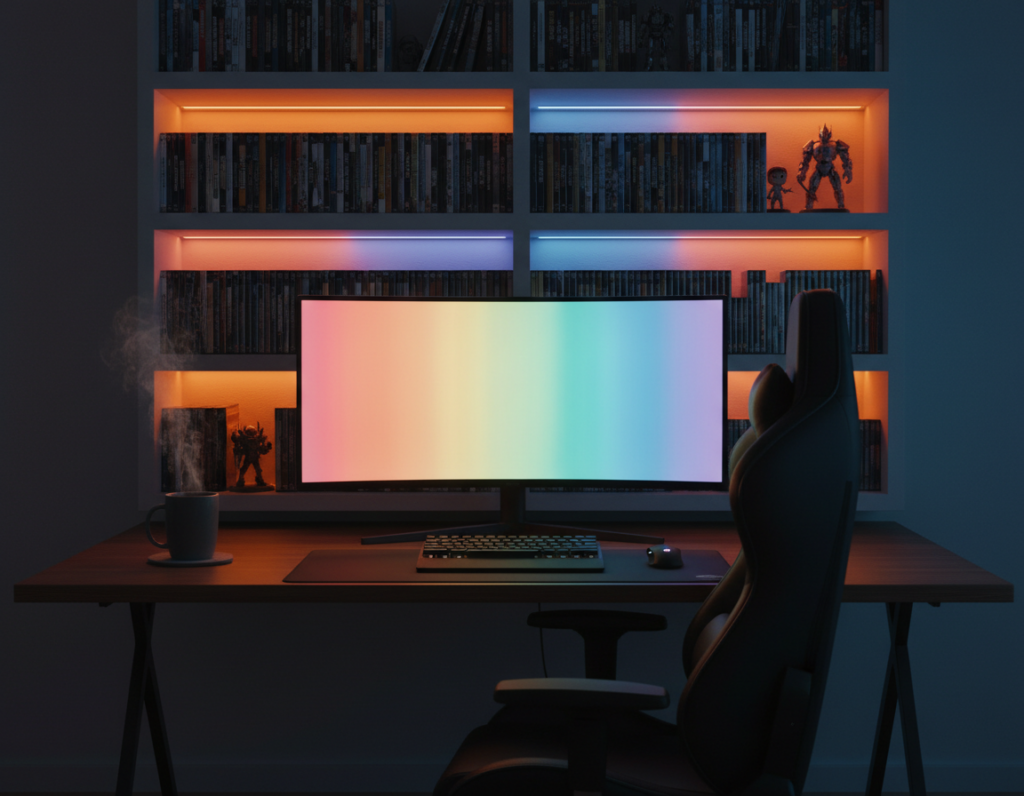
Bias lighting is a subtle tool that expands perceived depth without raising brightness. The Lighting Research Center shows that indirect light placed behind monitors reduces eye strain by softening contrast between a bright screen and a dark room.
When a hidden LED strip frames a display, it creates a soft halo that separates the screen from the wall. This glow makes the space feel larger and more immersive at night.
Placement matters: keep the source out of direct view so it does not produce reflections on the screen. Position the strip along the top and sides of the monitor or behind the desk to get even coverage.
“Indirect illumination behind monitors significantly reduces glare and improves visual comfort.”
Maintain consistent brightness so the backlight supports performance and avoids distraction during intense gaming sessions. Match the tone of the lights to wall colors to enhance ambiance without adding clutter.
- Use a single LED strip behind the monitor for a clean frame.
- Choose neutral color temperatures to reduce eye strain.
- Adjust brightness to match screen luminance for steady contrast.
Selecting Task Lighting to Reduce Clutter
Good task lights give clear, focused illumination where it’s needed without taking up desk real estate.
A monitor-mounted light bar directs light downward so the desk is usable and the screen stays free of glare. This keeps the desktop clear of bulky lamps and limits visual clutter.
Proper task lighting helps during late-night sessions. It illuminates controllers, notes, and peripherals without breaking immersion or increasing eye strain.
Monitor Light Bars
- Mounts above the display to reduce reflections on the screen.
- Frees surface area, making the layout feel more open and ordered.
- Pairs well with high-quality LED strips for balanced focus and ambiance.
- Manufacturers often offer support by email if questions arise.
Choose a light bar compatible with the desk layout and monitor mounts. That simple swap improves performance, trims accessories, and enhances the overall experience.
Strategic Use of LED Strips and Wall Accents
Smart use of strips and wall features lets the eye travel, making a compact layout feel ordered and deliberate.
Indirect Placement
Place LED strips out of direct view so they create a soft halo behind the desk or monitor. That glow separates the screen from the wall and adds perceived depth.
Mount strips under the back edge of the work surface or behind displays. This supports the layout and keeps the desk free of loose cables.
Color Temperature
Choose a consistent tone. Warm white suits relaxing sessions. Cool white feels crisp and focused for task lighting and performance.
One steady color often looks cleaner than many effects and helps maintain a professional feature in the space.
Avoiding Overload
Limit accents to one or two wall highlights. Too many lights compete and shrink the visual field.
- Keep controls simple to adjust brightness and mood.
- Match strip placement to your desk and screen alignment.
- Pick accessories that hide cables and preserve order.
“Indirect LED accents can make a compact setup feel intentional rather than cluttered.”
Managing Cables and Furniture for an Open Feel
Tidy furniture and routed cables make the whole layout feel wider and calmer at night.
They recommend desks that include cable channels and under-desk trays to keep power and data lines out of sight. Desky offers sit-stand desks and monitor arms that free surface area and support a clean setup.
Run cables along the rear edge of the desk or into a tray to preserve the visual flow. Monitor arms lift displays, which opens the desk and improves airflow during long gaming sessions.
Proper cable management prevents clutter and keeps accessories organized. That order reduces eye strain by limiting contrast between bright screens and dark surroundings.
“A clean desk layout is the foundation of a great gaming experience.”
Quick checklist:
- Use under-desk trays and rear channels to hide cables.
- Choose furniture with integrated cable routing and stable support.
- Install monitor arms to free desk space and improve layout control.
- Keep strips and LED accents off visible surfaces to avoid visual competition.
Taking time to organize cables and pick the right furniture transforms cramped setups into purposeful, inviting spaces that perform under pressure.
Conclusion
Thoughtful control of brightness and color makes a modest setup feel roomy and calm. Focus on layout, tidy cable runs, and strategic use of bias and task light to expand perceived depth at night.
Use LED strips and a monitor light bar to add soft contrast without creating glare. These steps improve performance, reduce eye strain, and lift the overall ambiance of the home setup.
For tailored help, contact G Light LEDs at 888-401-7144 or send an email, or learn how to maximize compact setups for better results. A well-organized space boosts both comfort and the gaming experience.