The right desk lighting can change how someone feels during long late-night sessions. PC Gamer’s 2026 review page highlights which light bars and LED strip options offer the best balance between function and style.
Good lighting reduces eye strain by softening the contrast between a bright screen and a dark room. A modern light bar or flexible strip light helps keep the view comfortable and steady.
Choices like RGB strips and subtle color tones can make a computer space feel more personal. They also let users control lighting effects to match work or play.
This short guide shows how well-chosen lights and kits improve the overall experience. It focuses on practical, professional options for a home desk that stay easy on the eyes.
Understanding the Benefits of Desk Backlighting
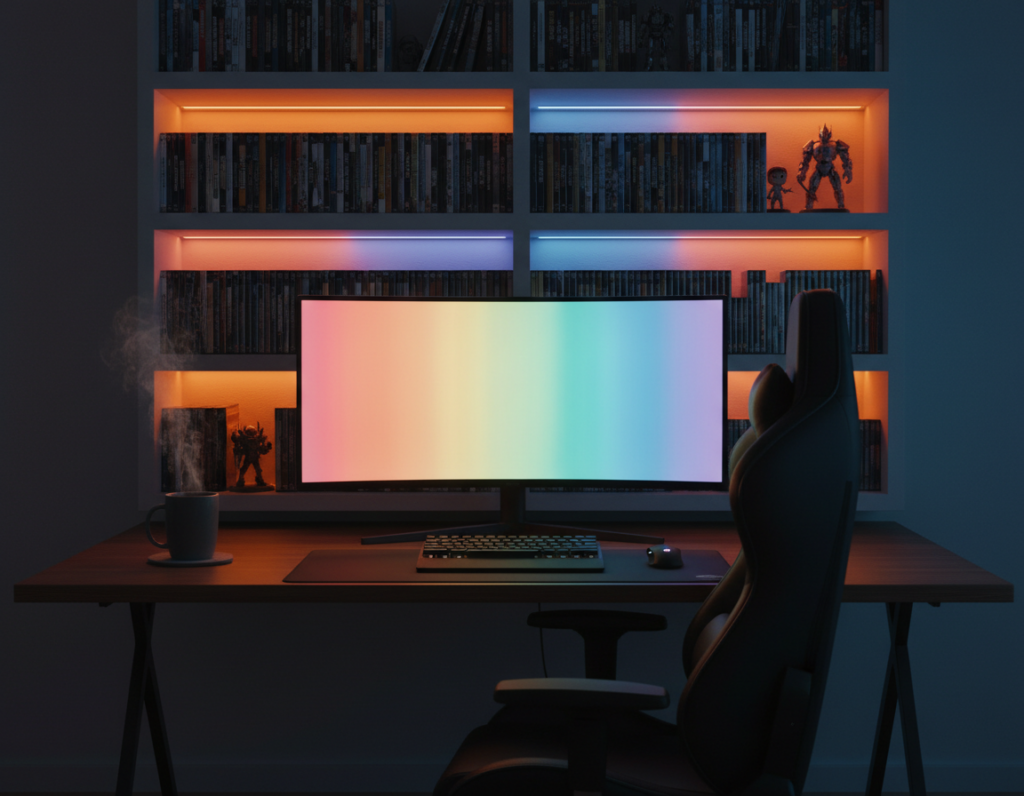
Subtle glow around a workstation transforms late-night use into a calmer experience. It balances a bright display with the darker room and helps the eyes adjust more naturally.
Reducing Eye Strain
Soft light behind the screen reduces the harsh contrast that causes fatigue. This indirect lighting lets people work or play longer with less discomfort.
A proper ambient source smooths the transition between bright pixels and dark surroundings. The eye no longer needs to constantly refocus, which lowers strain and blinks less.
Creating an Immersive Atmosphere
Well-tuned backlighting complements on-screen colors and widens the perceived view. Players report a deeper sense of presence during gaming and media sessions.
Professional setups favor soft, indirect light for a high-quality visual experience. That same approach improves focus for work and gives any desk a refined, modern look.
- Reduces contrast-related fatigue
- Enhances color depth and immersion
- Improves overall viewing experience
Essential Components for a Monitor Backlight Gaming Setup
A careful selection of LED components can make late-night play and work feel effortless.
Core elements include a high-quality led strip, a reliable controller, and neat cable management. These parts keep the desk tidy and ensure consistent light performance.
When choosing a kit, confirm the extension length covers the perimeter of the display. Technical details matter: voltage ratings, connector types, and adhesive quality affect long-term use.
- High-grade LED strip or light bar for even color and brightness.
- Controller with precise control and rgb support to sync with the computer.
- Cable clips, extensions, and fasteners to hide wires and protect connectors.
“The best light bars sync with on-screen color, giving a seamless ambient effect.”
For practical guidance and product comparisons, consult a detailed ambient lighting guide at PC ambient lighting guide. Checking review page specs helps pick a set that boosts immersion and stays reliable.
Evaluating Lighting Synchronization and Software Control
Real-time color matching turns ordinary illumination into an extension of the screen. This capability makes the room react instantly to what the user sees and hears.
Real-time Screen Color Matching
Precise sync captures dominant hues from the display and pushes them to LED strips and light bars. The result is smoother transitions and fewer jarring contrasts during a game or video.
Advanced software gives granular control over modes and lighting effects. Users can set RGB profiles for work, match audio for music, or prioritize color accuracy for color-critical content.
- Instant reaction to on-screen action
- Custom modes for work, play, or media
- Audio sync for immersive audiovisual feedback
“Good software keeps color output consistent and reliable across long sessions.”
Selecting the Right LED Strip and Light Bar Hardware
Picking the right strip and bar affects brightness, longevity, and how your screen reads in low light. Buyers should weigh size compatibility, adhesive strength, and power draw before choosing a kit.
Compatibility with Screen Sizes
The Avatar USB RGBIC Monitor Backlight fits 24″–32″ displays and includes a 2.5m led strip plus two light bars for flexible placement. That range covers most common home monitors and makes installation straightforward.
Adhesive Quality and Durability
Strong adhesive matters. This strip light ships with a durable adhesive meant for easy use and lasting hold on plastic and metal backs.
Durability also ties to after-sales support: the product comes with 12 months of professional service, which eases concerns about wear and replacement.
Energy Efficiency Considerations
Choose low-wattage lights and rgb control that let users set brightness and color. The Avatar kit is designed to be energy-efficient while improving screen brightness and room ambiance.
“Practical hardware balances color accuracy, low power draw, and clean installation.”
- 2.5m led strip plus two bars covers most monitors
- USB power options and minimal cable clutter
- 12 months of support and a positive product review history (listed on Newegg since June 07, 2023)
For deeper buying criteria, consult a concise light bar buying guide or see a sample product page review to compare details and extension options.
Installation Tips for a Clean Desktop Aesthetic
Simple alignment and tidy cables make LED installations look professional and intentional.
Start by planning cable runs behind the desk. Hiding the power cable and controller keeps the view uncluttered and makes the whole kit feel built-in.
Use the supplied clips to secure the led strip and bar wiring. Clips prevent sagging and help align lights so color and brightness stay even across the screen.
Position the led strip at least two inches from the edge to avoid hot spots and to promote soft, uniform lighting. This distance also improves how the rgb and strip light blend with on-screen colors.
Organize the computer area so extensions and spare cables tuck away. A neat surface makes future upgrades and a review of components far easier.
- Route cables along the back rail and anchor with clips.
- Keep power and data lines separated to reduce interference.
- Test placement before peeling adhesive to ensure even bars and bar alignment.
“Good cable management is the fastest way to make lights look intentional and professional.”
Customizing Colors and Lighting Effects
Modern RGB tools let users craft lighting that reflects mood and task with a few clicks. Software gives direct control over zones, color palettes, and transition speed.
The included controller and app make it easy to switch modes. One tap can change from a focused white glow to a vivid color loop that matches a game or movie.
Music sync adds motion: lights pulse and shift with the beat for an engaging room feel. This effect works well with light bars and led strip zones to boost immersion.
Brightness and color temperature are adjustable to protect the eyes while keeping the screen view accurate. Experimenting with combos improves contrast and overall experience.
- Save custom profiles for work, media, or late-night use.
- Use software to fine-tune speed, effects, and color balance.
- Try subtle pastels for long sessions and bold hues for short bursts.
“A few well-chosen colors and smooth effects can make the product feel personal and polished.”
Enhancing Immersion with Audio Sync Features
Audio-reactive lighting transforms background LEDs into a live visual response to sound. This mode lets lights pulse, shift color, and change brightness in time with music or in-game audio. The result is a more dynamic room experience that matches the content on the screen.
When a light bar connects via USB, software can keep effects tightly synced to the computer’s audio feed. That real-time control reduces lag and keeps color transitions smooth during movies, music, or fast action scenes.
The kit often includes extension cables and clear details for integrating strips and bars with multiple monitors and PCs. Users can pick modes for low-key background glow or an energetic show for a home party.
- Responsive effects: lights react to beats and game sound cues.
- Simple connection: USB link for reliable sync and software control.
- Complete kit: cables and extensions for tidy installation and multi-bar layouts.
“Audio sync turns passive illumination into an immersive, room-wide experience.”
Conclusion
Thoughtful lighting, ties comfort, color accuracy, and style into one easy upgrade. A modest investment in quality light and a reliable kit yields clearer contrast and less eye strain.
Choose LED lights and RGB controls that support precise color and sync features. Check a recent review to confirm color accuracy and software stability before buying.
Integrating music sync and custom profiles will lift the whole experience. With the right components, users can enjoy a well-lit workspace that protects the eyes and looks professional.